Start here: your first week with the Wallet Method app
Last updated October 29, 2026
Welcome. This takes about five minutes to set up, then a few seconds a day. Here's your first week.
1. Put it on your home screen first
iPhone: open walletmethod.com/app in Safari, tap Share, then Add to Home Screen. Then open the new Wallet Method icon and set up there. (A plan made in Safari stays in Safari, so start from the icon.)
Android: open it in Chrome and tap Install app (or Add to Home screen in the menu).
2. Set up your plan (5 minutes)
- Your pay. Steady, or does it change? If it changes, your pay goes into a pot and you pay yourself the same amount every week.
- Your bills. Type them in, or upload your bank and card statements and the app finds them for you.
- Pay yourself first. Your emergency fund, retirement and goals come out before you spend a dollar.
- Jars. Costs that come once a year (gifts, clothes, the vet) get a little set aside every week.
- Your refill day. Pick the day your money refills each week.
What's left is your weekly adult allowance: one number for everything you choose to spend. No categories to track.
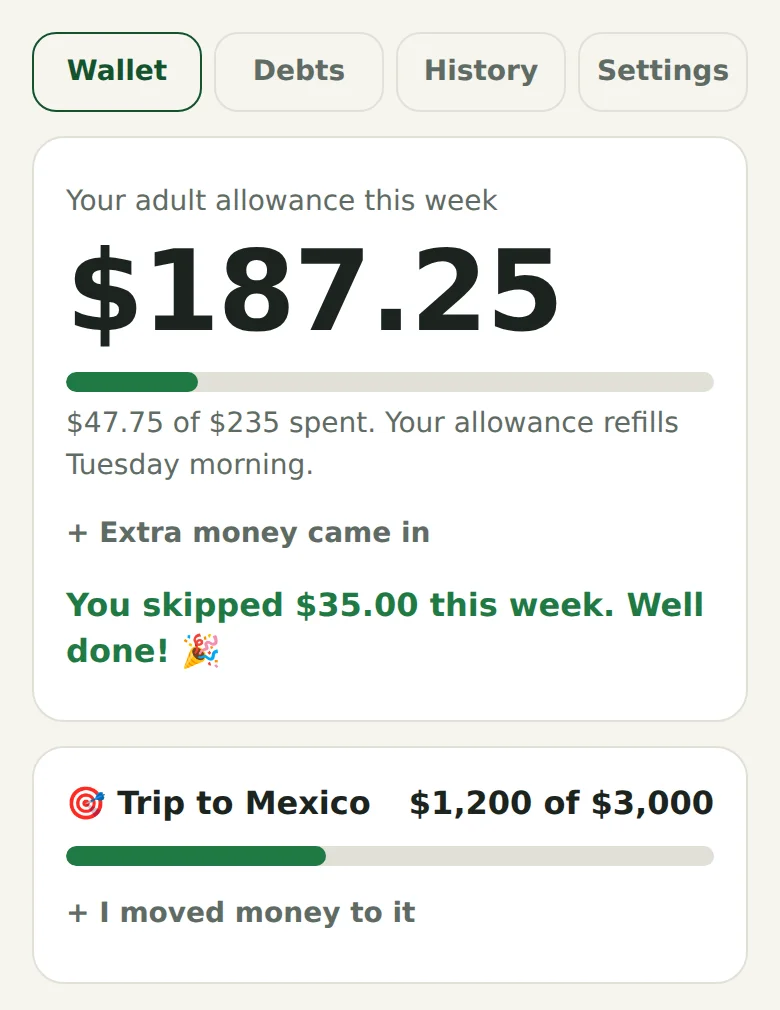
3. Every day: tap "I'm spending" first
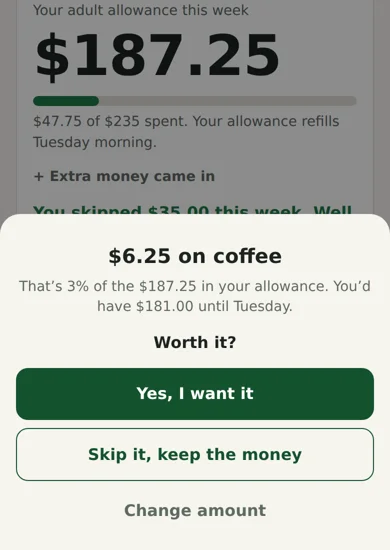
Before you tap your card, tap I'm spending, type the amount and pick what it's for. The app shows what you'll have left until refill day and asks one question: Worth it?
Yes, and it's logged. Or Skip it, keep the money, and the app cheers you on. That one pause is the whole method.
4. Refill day
Your allowance refills. If you had money left last week, the app asks if you want to move it to your goal. Got a bonus or a gift? Tap Extra money came in.
5. Paying off debt? Open the Debts tab
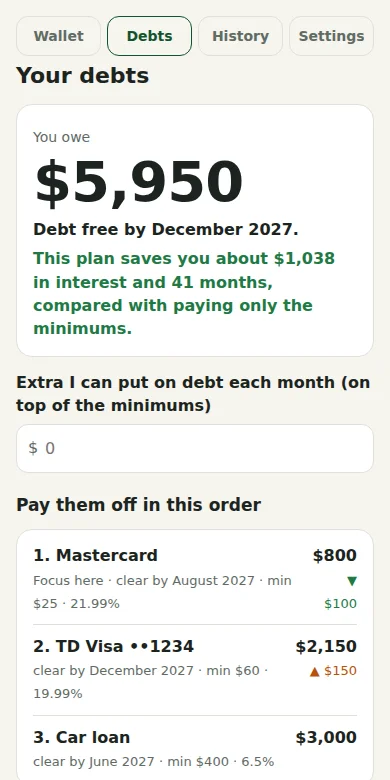
Add each card and loan (or upload a card statement). The app puts them in order, smallest balance first, gives you a debt-free date and shows the interest you save compared with paying only the minimums. If a card balance goes up instead of down, it lets you know and helps you get back on track.
6. Keep your plan safe
Your plan lives on your phone, not with us. Once a week or so, go to Settings > Save a backup and send the file to yourself. On a new phone, load it from the same place.
Want the whole idea?
The Wallet Method picture book explains the method in a few minutes, with pictures. Get the paperback on Amazon.
Questions? Email [email protected]. A real person answers.